 cuefyr
Why pair them
Most teleprompters scroll at a fixed speed, and on camera that shows: you chase the text or wait for it, and your eyes give you away. Cuefyr listens instead. Pause and it pauses. Ad-lib a sentence and it waits. Restart a line and it snaps back to where you actually are. For a YouTube channel that means narrating in your own voice without a dozen retakes, and without the AI-voice comments.
OBS does what it already does: captures the camera, the mic, the overlays and the scene. Cuefyr is just a window on your screen, and OBS never has to know it is there.
Set it up
-
Load the script
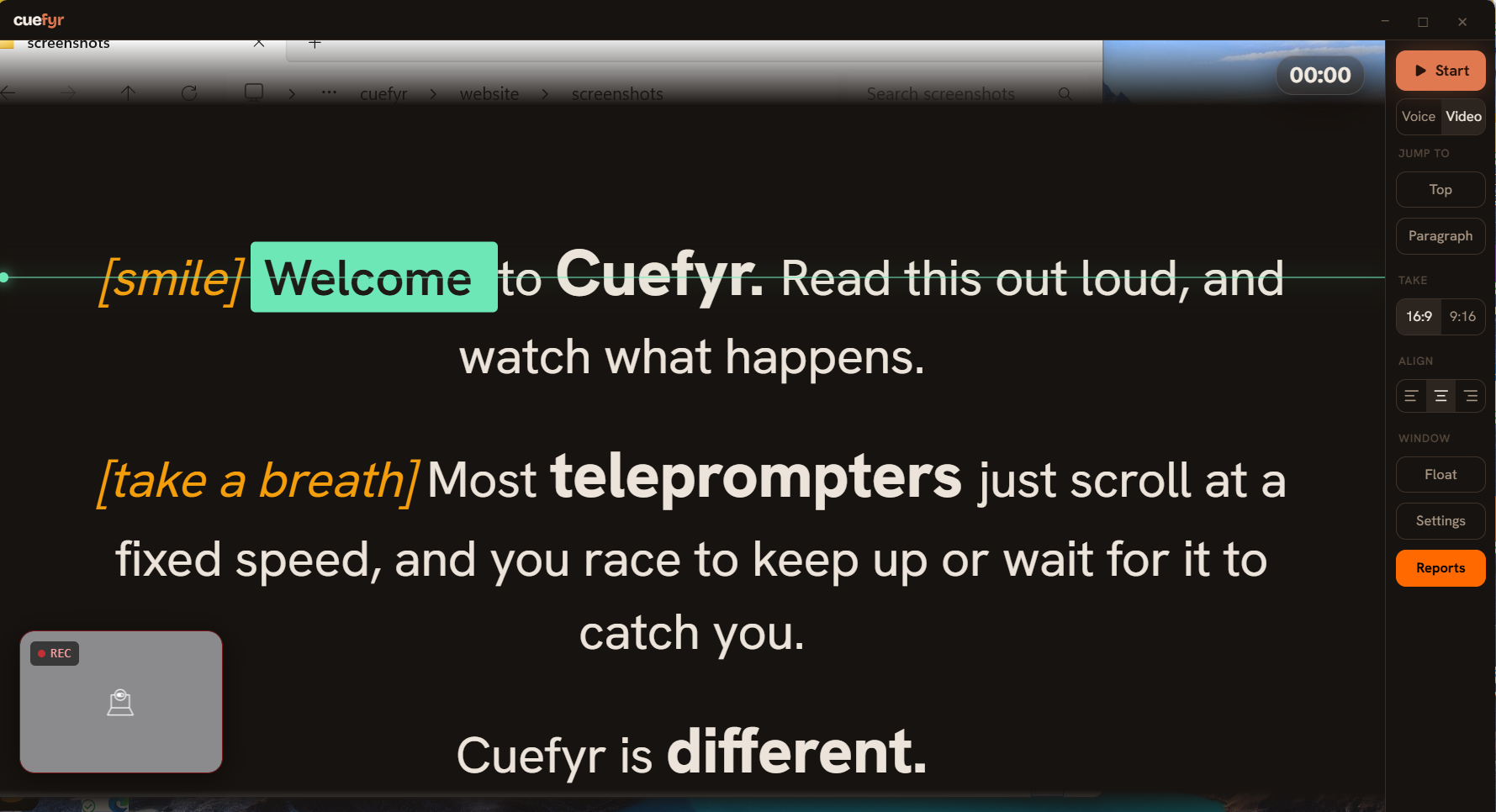
Open Cuefyr, paste or import the script, and press Start once to confirm the scroll is following your voice. Stage directions in square brackets, like
[smile], show on screen and are never spoken or expected. -
Float it over OBS
Press Float, or
Ctrl+Shift+O. The window drops its chrome and floats above everything else. Drag the strip at the top left so the text sits directly under your camera lens, pull the corner handle to make it narrow, and use the opacity slider if you want to see OBS through it.If OBS needs your clicks while the prompter is over it, press
Ctrl+Shift+Tfor click-through. The Cuefyr tray icon has both Exit overlay and Toggle click-through, so you always have a way back. -
Keep it out of the capture
In OBS, add your camera as a Video Capture Device source. If you also show an app, add it as a Window Capture of that specific window. Either way the prompter is not part of any source, so it is not recorded.
The one thing to avoid: a Display Capture source. That records the whole monitor, prompter included. If you need the desktop in the recording, put Cuefyr on a second monitor and capture only the first.
-
Record
Press Record in OBS, then start reading. Cuefyr scrolls with you. When you stop, OBS has the video and Cuefyr has the delivery report for the read: pace, filler words, pauses, and the lines you rushed or dragged.
Keep your eyes on the lens
Voice sync fixes the chasing. Placement fixes the rest.
- Narrow the window so your eyes travel a short distance, and put the read line just under the lens.
- Smaller text, more words per line reads better on camera than a few huge words that force big eye movements.
- Highlight off, in the prompter controls next to the highlight colour, leaves only the scroll following your voice. Some readers find the moving box distracting; the switch exists because a customer asked for it.
- Beam-splitter hoods and display prompters such as the Elgato Prompter work too. For glass rigs turn on Mirror in the look controls. For a prompter with its own display, treat it as a second monitor and move the Cuefyr window onto it.
Record in OBS, or in Cuefyr?
Record in OBS
Your scenes, overlays, multiple sources and stream setup stay exactly as they are. Cuefyr is the prompter only. This is the setup most YouTube and streaming channels want, and it is what this page describes.
Record in Cuefyr
Choose Video next to Start and Cuefyr records camera and mic itself, using any device your system exposes, including a DSLR through a capture card. The report then links to the file and opens a film room: click a flagged line and watch yourself at that moment. Simpler, but no scenes.
Both routes give you the delivery report. Only the Cuefyr recording gives you the film room, because only then does Cuefyr have the video.
Questions people ask
Will OBS pick up Cuefyr's audio?
Cuefyr plays no audio. It only listens. There is nothing for OBS to pick up beyond your own voice.
Can both apps use the microphone at the same time?
Yes. Windows and macOS let more than one app listen to the same microphone. If Cuefyr stops following you while OBS is open, check that both are set to the same mic in Settings, Devices, and in the OBS audio mixer.
Does this work when I am streaming live?
Yes, in the same way. The prompter is on your screen and not in any source, so it never reaches the stream. Click-through keeps OBS usable while the script floats over it.
Is my script sent anywhere?
No. Speech recognition runs on your computer. The script, the audio and the report stay on your disk. Nothing is uploaded, and there is no account. The privacy page says exactly what the app does and does not do.
Does it cost anything?
The prompter is free for good: scripts, voice-synced scroll, overlay, click-through, mirror and recording, with the first three delivery reports included. Pro unlocks unlimited reports and the film room.
Try it on your next script
Free on Windows and Mac. No account. The download is a single installer and the first read takes about a minute to set up.
Download Cuefyr free